Finds them for you · no bank login
A subscription tracker that finds them for you
Streaming, apps, the gym, cloud storage: small charges are easy to forget. Heartdue finds them in your card payments. It tells you when a price goes up, and reminds you before each one renews.
Free to start · any bank that sends alerts · 12 languages
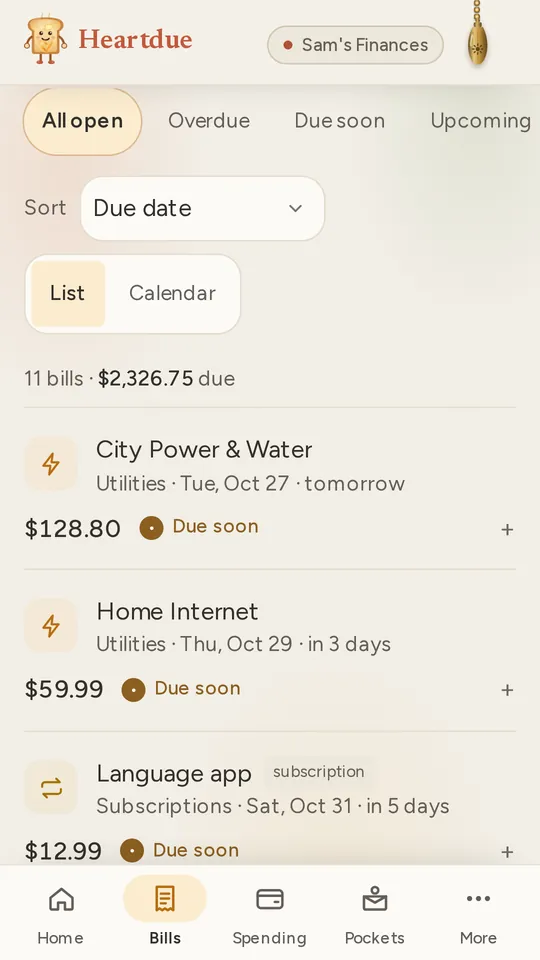
How Heartdue keeps track of them
Found in your payments
When the same shop charges you the same price every week, month, quarter or year, Heartdue spots it. It offers it as a bill you add in one tap.
Price rises, flagged
When a subscription charges a different amount than usual, you're told. You're also told when a payment you expected doesn't come.
Reminded before it renews
A few days before each renewal, a reminder comes to your phone or your inbox. You choose how many days.
Ticked off when it's paid
When the payment comes in, it's matched to that subscription and marked paid. Nothing is counted twice.
In your calendar too
See every renewal date in Google Calendar, Apple Calendar or Outlook, through one private link.
Your payments come in by themselves
Connect your phone once. After that, each card payment is logged a moment after you pay, and Heartdue looks through them for repeats.
- On Android, the Heartdue app reads the payment alerts from your bank's app, its texts or its emails.
- On iPhone, a Shortcut passes on your bank's texts or your Apple Pay payments.
- No bank login, ever. You can also add a subscription yourself: its name, its price and the day it renews.
Free to start
- Free
- Up to 10 bills and subscriptions, each with its reminders. The ones in your payments are offered to you. From your phone: every payment for your first 7 days, then 3 a month.
- Essentials · $8/month
- Unlimited bills and subscriptions, and every payment from your phone. The ones it's sure about can be added for you, if you turn that on.
- AI Advisor · $15/month
- Lumi lists every subscription in a bill or bank statement you upload, and checks for ones you don't use or pay for twice.
Questions people ask
Does Heartdue find my subscriptions by itself?
Yes, in the card payments it has logged. When the same shop charges the same price on a regular schedule, Heartdue offers it as a bill, and you add it in one tap. With Essentials, it can add the ones it's sure about by itself, if you turn that on.
Can Heartdue cancel a subscription for me?
No. Heartdue has no link to your bank or to the company, so it can't cancel, pay or move anything. It shows you what you pay and when each one renews, so you can cancel where you signed up.
Will I know when a price goes up?
Yes. When a subscription charges a different amount than usual, Heartdue tells you. It also tells you when a payment you expected doesn't come.
Do I have to connect my bank account?
No, never. Heartdue reads the payment alerts and texts your bank already sends to your phone. It never asks for a bank login.
Is it free?
Yes, to start. Free keeps up to 10 bills and subscriptions, with reminders. Essentials adds unlimited bills and every payment from your phone.
More of what Heartdue does
- Budget app with no bank loginA budget that fills in from your bank's alerts, and never asks for your bank login.
- Expense tracker from bank textsReads your bank's texts and app alerts on Android or iPhone, and logs each payment for you.
- Helping a parent with billsSee what's due for a parent, hear when a bill runs late, and never share a password.
See every subscription in one place
Free to start. Connect your phone once, and Heartdue does the rest.