Logs itself · Android and iPhone
An expense tracker that reads your bank's texts and alerts
Your bank already tells you each time you pay. Heartdue reads that message and logs the amount, the shop and the date. It sorts the payment into a category, and you don't type a thing.
Free to start · any bank that sends alerts · 12 languages
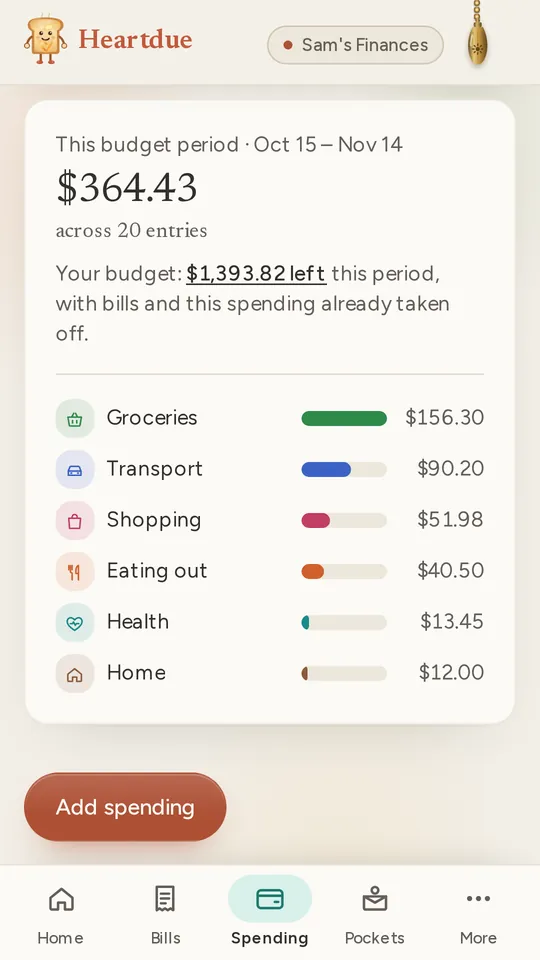
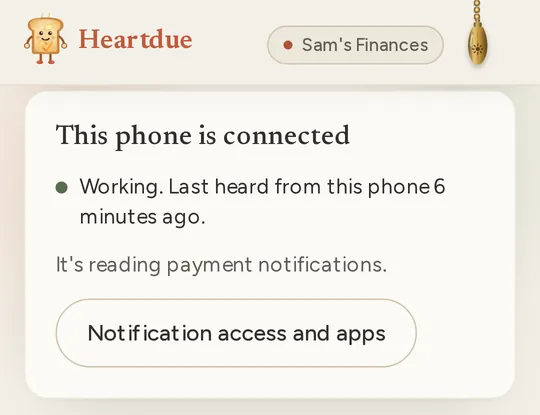
On Android, the Heartdue app reads them
- Install Heartdue from Google Play and turn on notification access. Then pick your bank's apps.
- It reads payment alerts from your bank's app, its texts, its emails or a chat app.
- It sends only the messages that read like a payment. One-time codes never leave your phone.
- No signal? The payment waits on your phone, and is sent later with the day you paid.
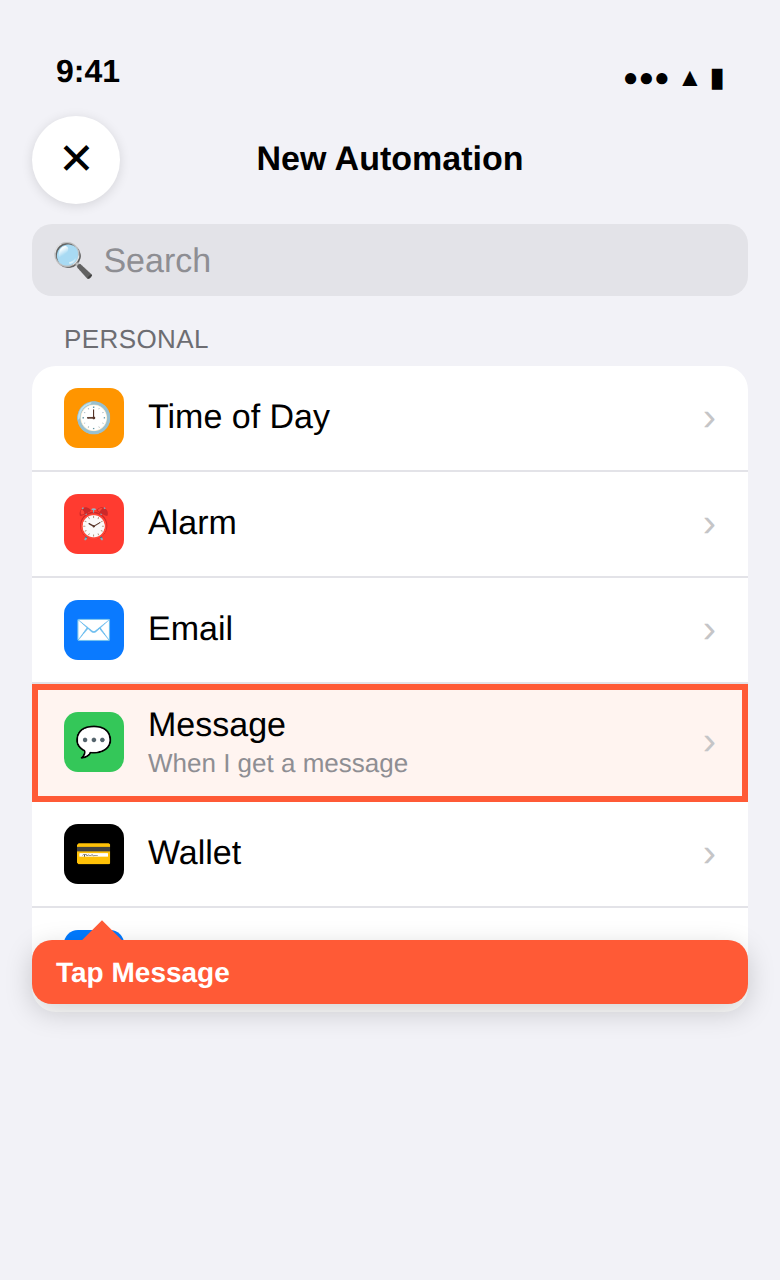
On iPhone, a Shortcut passes them on
- Set it up once in the Shortcuts app. The Heartdue app shows you each step.
- It passes on your bank's payment texts, online shopping included.
- Or it logs what you pay with Apple Pay in shops.
- On iOS 27 or newer, it can read your bank app's notifications too. You need iOS 17 or later.
What happens to each payment
Sorted into a category
Groceries, eating out, transport and the rest. Move one, and that shop goes there next time too.
Matched to your bills
If it paid a bill, that bill is marked paid. It isn't counted twice.
Repeats spotted
The same shop and price every month is offered as a bill, so subscriptions don't hide.
Checked against your promises
Promised yourself “takeaway once a week”? Each payment is checked against it.
What's sent, and what's kept
- Heartdue keeps the amount, the shop, the date and a category. Never a card number, and never a balance.
- Card numbers are removed before anything is saved.
- On Free, Heartdue's own rules read each message. On Essentials, AI can read and sort your payments too, if you say yes. Card and account numbers are hidden from it first.
- Only you see your spending, and anyone you give Full view.
Free to start
- Free
- Every payment from your phone for your first 7 days. After that, 3 a month. The rest wait, hidden and not counted, until you choose a plan.
- Essentials · $8/month
- Every payment from your phone, every month, and AI that reads and sorts them.
- AI Advisor · $15/month
- A spending check-in from Lumi: where it went and what changed. And receipts read from a photo.
Questions people ask
Which banks does it work with?
Any bank that tells you when you pay by card. It works in any country, in any of 150+ currencies.
Does it read my personal messages?
No. On Android, it sends only messages that read like a payment, from your bank's app, its texts or its emails. It never sends one-time codes, group chats, or chats and emails from people. On iPhone, the Shortcut runs only for the texts you set it up for.
Do I need to give it my bank login?
No, never. It reads the messages your bank already sends you. Nothing can be paid or moved from Heartdue.
What about cash?
Add it yourself on the Spending page, in a few taps. Spending you type in is unlimited on every plan.
Does it work on iPhone?
Yes, with the Shortcuts app. It logs your bank's payment texts, or what you pay with Apple Pay. On iOS 27 or newer, it can read your bank app's notifications too.
More of what Heartdue does
- Subscription trackerFinds your subscriptions in your card payments, and reminds you before each one renews.
- Budget app with no bank loginA budget that fills in from your bank's alerts, and never asks for your bank login.
- Helping a parent with billsSee what's due for a parent, hear when a bill runs late, and never share a password.
Let your bank's messages do the typing
Free to start. Connect your phone once, and each payment logs itself.