Helping is free · no shared passwords
Help your parents with their bills, from wherever you are
Keep an eye on a parent's bills without taking over. They invite you and choose what you see. You never share a password, and nobody can move their money.
Free to start · any bank that sends alerts · 12 languages
How it works
- 1
They add their bills
Your parent adds their bills to Heartdue, or connects their phone so payments log themselves. You can set it up together.
- 2
They invite you
By email, with the level of access they choose. You accept with an account of your own.
- 3
You keep an eye on things
See what's due and what's been paid, from your own phone or computer.
They choose what you see
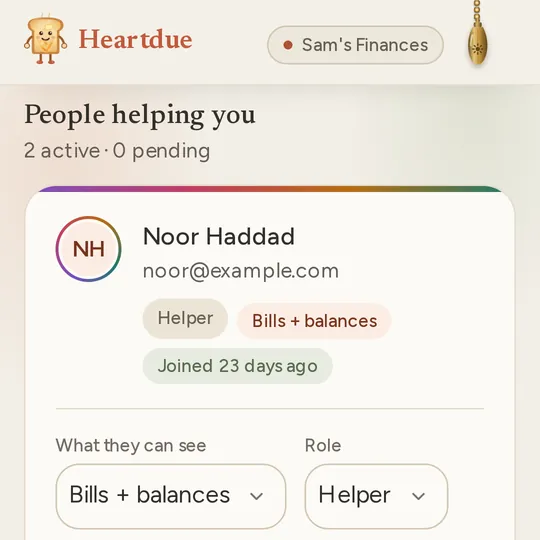
Three levels, checked by the database itself, not just the screen. On Free, it's Bills only. With Essentials, they can pick any of the three. They can end your access at any time.
- 1
Bills only
Sees bills and subscriptions: what's due, and what's been paid. No account balances.
- 2
Bills + balances
Everything in Bills only, plus current account balances.
- 3
Full view
Everything, plus everyday spending and how it changes over time. The fullest picture.
What you can do as a helper
Leave a note
A note about a bill, or a gentle reminder, kept in one place. No calls or texts needed.
Offer to handle a bill
They say yes, you sort it, then mark it done. They mark it paid once they've checked.
Hear when a bill runs late
If they switch it on, you're told when one of their bills is 2 or more days late.
Good news each Monday
Switch on the weekly card, and each Monday brings the week's good news: bills paid, nothing late.
Safe for both of you
- No shared passwords. You each sign in with your own account.
- You can never change a bill, pay it or move money.
- Each time you look, it shows in their activity. Access can end on a day they choose.
- Each of you uses Heartdue in your own language.
Or keep their bills yourself
Rather do it all for them? Keep their bills in your own account, in a profile of their own. The reminders come to you. Profiles come with Essentials.
Free to start
- Free
- Helping someone who shared with you is free, on every plan, always. On Free, your parent can invite one person to see their bills only, and keep up to 10 bills with reminders.
- Essentials · $8/month
- Your parent can invite as many people as they like, at any level, or start a shared circle. It also adds as many profiles as you need, and every payment from the phone.
- AI Advisor · $15/month
- Lumi sums up the week, and helps choose what to share.
Questions people ask
Do I have to pay to help my parent?
No. Helping someone who shared with you is free, on every plan, and always will be. On Free, your parent can invite one person to see their bills. Essentials lets them invite more, and choose what each person sees.
Can I pay their bills from Heartdue?
No. Heartdue has no link to anyone's bank, so nobody can pay or move money from it. Offer to handle a bill, then pay it the way you usually would.
Will my parent know when I look?
Yes. Each time someone views their bills, it shows in their activity. Nothing happens quietly.
What if they don't use a smartphone?
They can add their bills on a computer, or you can set it up with them. Or keep their bills in your own account, in a profile of their own, with Essentials.
Can they stop sharing?
Yes, at any time. They can change what you see, set a day for it to end, or end your access at once.
More of what Heartdue does
- Subscription trackerFinds your subscriptions in your card payments, and reminds you before each one renews.
- Budget app with no bank loginA budget that fills in from your bank's alerts, and never asks for your bank login.
- Expense tracker from bank textsReads your bank's texts and app alerts on Android or iPhone, and logs each payment for you.
Help, without taking over
Your parent starts free. Invited already? Make your account with the email the invitation came to.